Making search better in React and Next.js
A practical look at debouncing, throttling, memoization, fuzzy search, and URL state in React and Next.js.
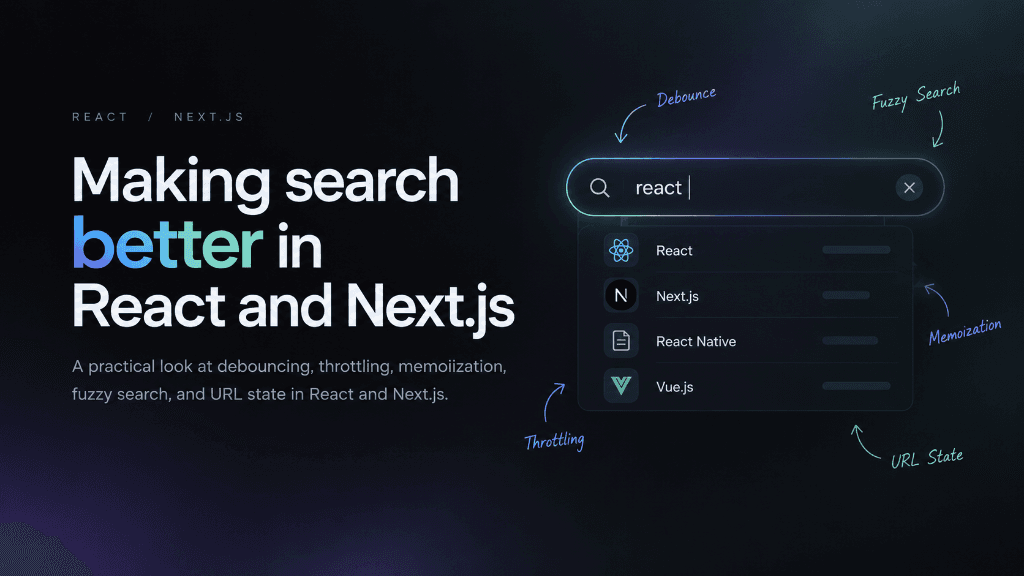
Search looks simple at first.
There is an input, a query, and a list of results. That works well until the list gets bigger or the search starts making a request on every keypress. At that point, a small feature can become surprisingly expensive.
While working with React and Next.js, I came across a few techniques that make search feel faster without making the code needlessly complicated. The useful part is that they solve different problems.
Debouncing the search
Suppose someone types javascript. Without any delay, the application might search for:
j
ja
jav
java
javas
javascript
If each change sends an API request, most of those requests are unnecessary. The user is still typing, so there is no reason to search for every unfinished version of the query.
Debouncing waits until the user has stopped typing for a short amount of time before running the search.
const [query, setQuery] = useState("");

useEffect(() => {
  const timer = setTimeout(() => {
    if (query.trim()) {
      searchProducts(query);
    }
  }, 300);

  return () => clearTimeout(timer);
}, [query]);
Here, the search runs after 300 milliseconds without a new keystroke. If another character is entered first, the previous timer is cleared and the wait starts again.
This is particularly helpful when searching through an API or running an operation that takes noticeable time. The exact delay depends on the interface, but somewhere around 200 to 400 milliseconds is often a reasonable starting point.
Debounce vs. throttling: which one belongs in search?
When optimizing search inputs, debouncing and throttling are often mentioned together, and it is easy to mix them up. However, they solve fundamentally different problems:
- Debounce waits for a pause. It resets its timer on every keystroke and only triggers after the user stops typing for a given duration.
- Throttle enforces a steady cadence. It guarantees the function executes at most once every interval (e.g., every 300ms), regardless of how many keystrokes happen in between.
If you throttle a search input while someone types javascript, the query function will fire mid-word: once for jav, once for javasc, and finally for javascript. Those intermediate network requests are usually wasted because the user is still actively formulating their thought.
User typing:      j - a - v - a - s - c - r - i - p - t
Throttle (300ms):    ▲           ▲           ▲
Debounce (300ms):                                    ▲ (executes after typing pauses)
For the search input itself, debouncing is almost always the right tool because you want to wait for the completed keyword.
Where does throttling actually fit into a search experience?
- Scrolling through search results: If your search returns dozens or hundreds of items and you use infinite scroll, throttling your scroll or intersection listeners prevents stuttering and layout thrashing.
- A safety ceiling (
maxWait): If someone types very slowly without ever pausing for the full debounce delay, pure debouncing can delay results too long. Throttling can act as a maximum wait limit so the user still sees progressive results during continuous typing.
Memoizing filtered results
Not every search needs an API. Sometimes the data is already in the browser and the task is simply to filter it.
const filteredProducts = products.filter((product) =>
  product.name.toLowerCase().includes(query.toLowerCase()),
);
This filtering happens whenever the component renders. For a small list, that is usually fine. For a large list or a more involved search calculation, repeating the work can become noticeable.
useMemo can cache the result until one of its dependencies changes.
const filteredProducts = useMemo(() => {
  const normalizedQuery = query.trim().toLowerCase();

  return products.filter((product) =>
    product.name.toLowerCase().includes(normalizedQuery),
  );
}, [products, query]);
This does not make every calculation faster. It adds its own small amount of work and memory usage, so it is most useful when the calculation is expensive or the component renders frequently for unrelated reasons.
I try to measure before adding memoization. A simple filter over a short list rarely needs it.
What about React 19 and the React Compiler?
You might have heard that modern React makes useMemo obsolete. The nuance is that React 19 alone does not auto-memoize components. Automatic memoization is handled by the React Compiler (an opt-in tool enabled via experimental.reactCompiler in Next.js 15).
If your project enables the compiler, it analyzes code at build time and automatically caches expensive operations, meaning you won't need manual useMemo for filters like this. But in standard projects without the compiler, manual memoization remains the standard tool to prevent unnecessary work.
Fuzzy search with Fuse.js
Exact matching is predictable, but it is not always forgiving.
Search: react

React         found
React Native  found
Angular       not found
What happens when the user types recat instead of react? A normal includes() check will probably return nothing, even though the intended result is fairly clear.
Fuzzy search looks for results that are close to the query. Fuse.js is a useful option when the search needs to handle small spelling mistakes or less precise input.
npm install fuse.jsimport Fuse from "fuse.js";
const products = [
{ name: "React" },
{ name: "Next.js" },
{ name: "React Native" },
{ name: "Vue.js" },
];
const fuse = new Fuse(products, {
keys: ["name"],
threshold: 0.3,
});
const results = fuse.search("recat");Fuse.js returns ranked results, so the closest matches can appear first. It works well for command palettes, documentation, product lists, and other interfaces where users may not know the exact wording.
It is still worth tuning the threshold for the project. A search that is too forgiving can return results that technically match but do not feel relevant.
Keeping search in the URL
When search belongs to a page in Next.js, the query can live in the URL:
/products?query=reactThat makes the current search shareable and bookmarkable. It also gives the server a clear input when the data is too large to search in the browser.
On the client, useSearchParams can read the current value:
"use client";

import { useSearchParams } from "next/navigation";

export default function SearchResults() {
  const searchParams = useSearchParams();
  const query = searchParams.get("query") ?? "";

  return <p>Searching for: {query}</p>;
}
For a complete search flow, the input can update the query parameter after a debounce. The page can then read that parameter on the server and fetch only the results it needs.
This is a useful boundary. Small datasets can stay local and feel immediate. Larger datasets can move to an API or database without changing how the user shares a search.
Putting the techniques together
A client-side search might follow this path:
User types
    -> Debounce the input
    -> Filter or run fuzzy search
    -> Memoize the expensive calculation when needed
    -> Display results
For a larger dataset, the flow could look like this:
User types
    -> Debounce the input
    -> Update the URL or send an API request
    -> Search on the server or in the database
    -> Display results
These techniques are not competing solutions. They address different sources of friction.
Use debouncing when too many requests are being made. Use throttling when a continuous event is firing too often. Consider memoization when a repeated calculation is genuinely expensive. Use fuzzy matching when users may make mistakes or do not know the exact name. Move the search to the server when the browser should not own the whole dataset.
The main lesson for me is that search optimization is not one particular trick. The right approach depends on where the cost is coming from.
The goal is not to make every search implementation more elaborate. It is to make the work happen at the right time, at the right frequency, and in the right place.